
Calories Burned Lifting Weights Calculator: MET Estimate
Estimate calories burned lifting weights from your body weight, workout duration, and a resistance-training MET value. Compare total session energy with energy above resting, then see an illustrative weekly total.
Your numbers, your next step.
Slide or enter a value to update the result.
Estimated session calories · MET model
294kcal
3.5 MET × your session duration. Includes resting energy; estimated active calories above rest: 210 kcal. Whole-session averages are uncertain, especially with long rests.
| Estimate | Per session | Per week |
|---|---|---|
| Gross · includes rest | 294 kcal | 882 kcal |
| Active · above rest | 210 kcal | 630 kcal |
Free, no signup. Inputs stay in your browser; they are not sent to Trainer.
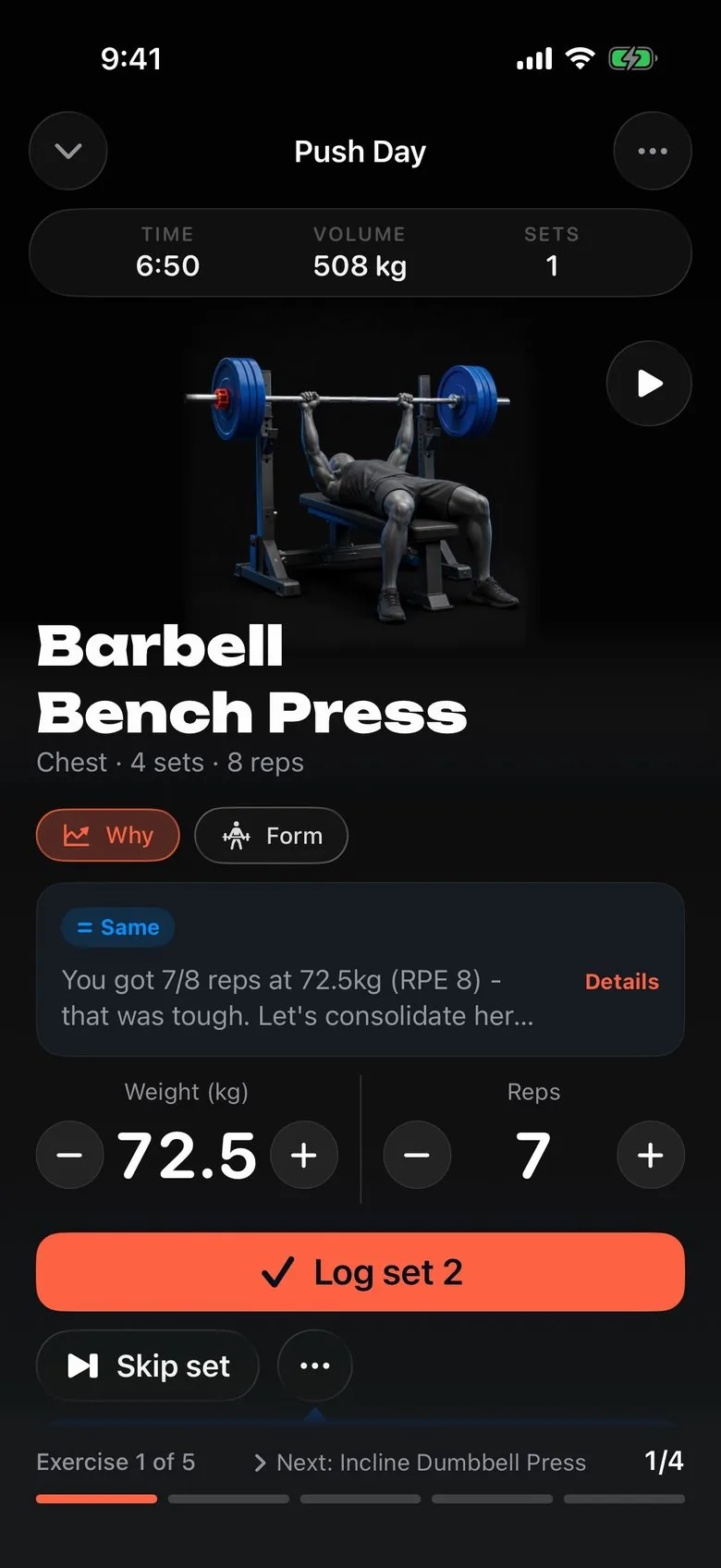
Calls your next set.
Every set arrives pre-filled with the weight and reps to hit next, and the reason why.
Get the appHow it works: resistance-training MET values
This calculator uses the Adult Compendium of Physical Activities categories for resistance training. Multiple resistance exercises performed for 8–15 repetitions at varied resistance have a listed value of 3.5 MET. Vigorous weight lifting, powerlifting, or bodybuilding has a listed value of 6 MET. These named activity categories come from the Compendium, rather than a personalized measurement of your workout.
A MET expresses activity energy expenditure relative to a standard resting reference. The familiar conversion uses 3.5 milliliters of oxygen per kilogram per minute for 1 MET and approximately five kilocalories per liter of oxygen. Your actual resting metabolism and exercise efficiency can differ from those assumptions.
The calories-burned formula
Gross kcal = MET × 3.5 × body weight in kg ÷ 200 × minutes. Net kcal = (MET − 1) × 3.5 × body weight in kg ÷ 200 × minutes. Multiply either session value by the number of similar weekly sessions to calculate its weekly scenario. Pounds are converted to kilograms before the equation is applied.
Gross energy includes what the standard model says you would have used at rest during those minutes. Net energy removes that resting allowance. Neither calculation adds an afterburn estimate. Showing both helps you understand why two apps can report different calorie totals for an otherwise identical session.
Worked example: 80 kg for 60 minutes
At 3.5 MET, an 80 kg person training for 60 minutes has a gross estimate of 3.5 × 3.5 × 80 ÷ 200 × 60 = 294 kcal. Substituting 2.5 for MET gives 210 net kcal. Three similar sessions give 882 gross kcal or 630 net kcal for the week.
| Session assumption | Gross kcal | Net kcal |
|---|---|---|
| 80 kg, 60 minutes, 3.5 MET | 294 | 210 |
| 80 kg, 60 minutes, 6 MET | 504 | 420 |
| Three moderate sessions | 882 | 630 |
The difference between the first two rows shows how strongly the intensity assumption drives the answer. It does not establish that either row measured your session. Keep the selected activity category beside the number when you record or compare it.
Treat the whole session consistently
Include normal rest between sets, but exclude time spent changing clothes or sitting in the lobby. The activity category approximates a session that mixes work and recovery. A particularly long rest pattern, circuit structure, or unusually short workout can depart from that average. Do not assign the vigorous category solely because one set felt difficult.
This tool accepts 5–240 minutes and one to seven similar weekly sessions. These are calculator boundaries, not recommendations about how often or how long to train. If the week contains very different sessions, estimate them separately rather than multiplying one workout by every gym visit.
Use the estimate beside your daily needs
The TDEE calculator already uses an activity assumption for daily energy needs. Adding exercise calories again can double count them. The macro calculator organizes a chosen calorie budget; it cannot remove uncertainty from the budget itself. Keep adjustments modest and assess a longer pattern instead of reacting to a single displayed workout number.
For practical context, read the guides to lean-bulk calories and cutting without losing muscle. A calorie estimate does not describe whether training is progressing. Use the workout generator to create a starting routine, then record actual exercises, loads, and reps in Trainer so the next training decision has performance evidence.
Frequently asked questions
Which MET value should I choose?
The Adult Compendium assigns 3.5 MET to multiple resistance exercises and 6 MET to vigorous weight lifting. Choose the description that better represents the whole session. A heavy single with long rests does not automatically make the entire hour vigorous.
Does the estimate include rest between sets?
Use the complete lifting session, including normal between-set rest. The selected MET is an average approximation. Long conversations, unrelated walking, or waiting for equipment can make that approximation less representative.
What is the difference between gross and net calories?
Gross calories include estimated resting energy during the session. Net calories subtract a standard 1 MET resting allowance. Neither result measures your personal metabolism or after-exercise energy use.
Should I eat all these calories back?
Do not automatically add them to an activity-adjusted daily calorie estimate: that can count the same training twice. Use the number as context, with your longer weight trend, recovery, and actual training record.
Keep building your plan
- TDEE Calculator – Maintenance Calories for Lifters
- Macro Calculator for Lifting – Bulk, Cut or Recomp
- Workout Generator: Build a Weekly Lifting Plan
- Lean Bulk: Calories, Macros and Rate of Gain
- How to Cut Without Losing Muscle
- Compare nutrition trackers for your calorie and protein plan
- Choose a repeatable exercise and check the setup