
Workout Log Template: Printable and CSV Journal
Use this workout log template to record each exercise, working set, load, reps, and reps in reserve. Fill it in on this page, download a CSV for a spreadsheet, or print a blank journal for the gym.
Your workout journal
One row per set. Fill it in here, or print a blank sheet.
Workout log template · trainer.fyi
Load is in kg. For a barbell, include the bar; for dumbbells, record one dumbbell consistently. RIR means reps in reserve: how many more clean reps you think you could do. Leave unknown values blank.
On a small screen, scroll the table sideways to reach every column.
| Exercise | Set | Load (kg) | Reps | RIR | Next time |
|---|---|---|---|---|---|
8 rows ready. Save as PDF is available from your browser's print dialog.
Free, no signup. Entries stay on this page and are not sent to Trainer. They are not saved after a reload: download your CSV or print before leaving.
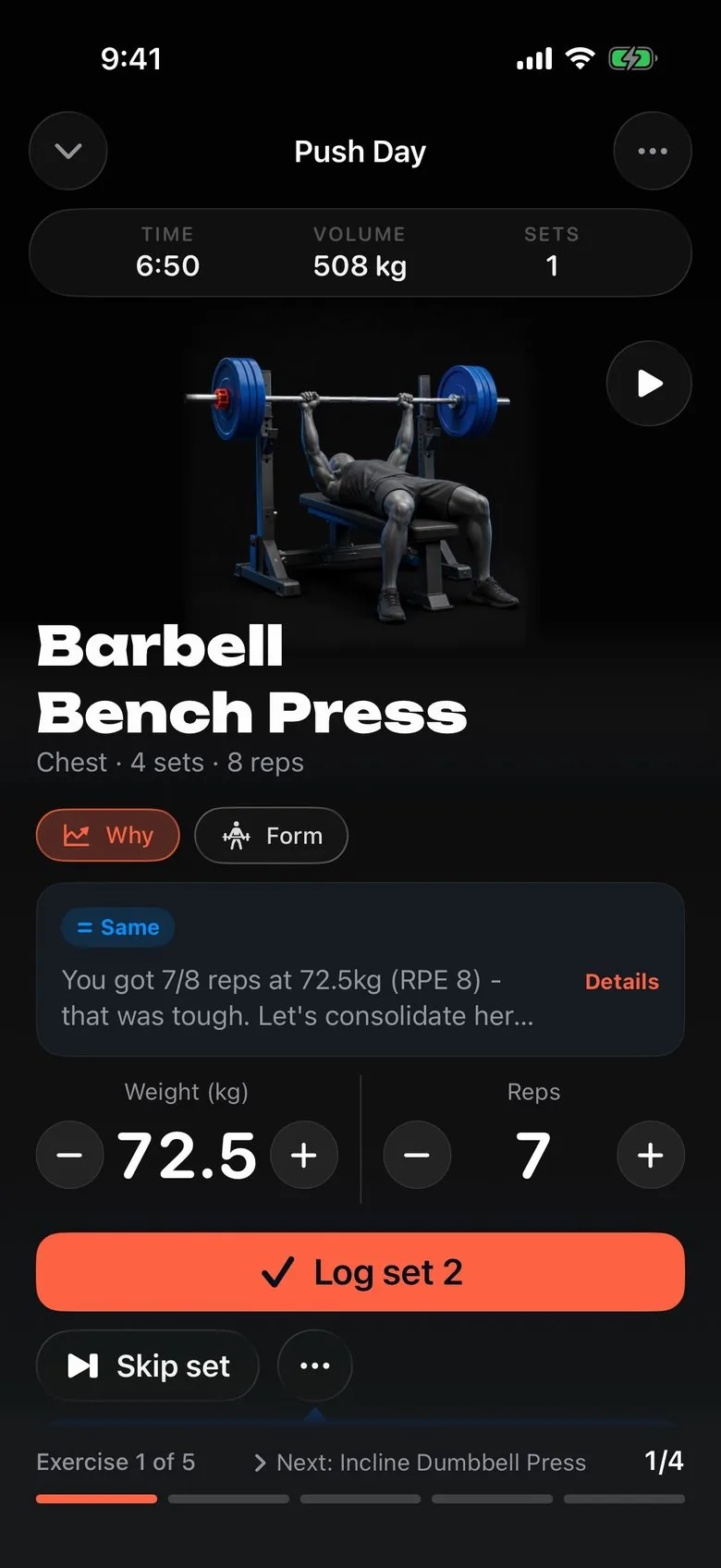
Calls your next set.
Every set arrives pre-filled with the weight and reps to hit next, and the reason why.
Get the appHow this workout log template works
Use one row for one completed set. Record the exercise, its set number, the load, completed reps, and optional reps in reserve, or RIR. The final column holds a specific next-session target. Keep warm-up sets separate or label them clearly so they do not look like completed working sets.
This is an editorial recording format, not a physiological equation or an individualized training prescription. It does not calculate calories, judge technique, or decide whether a heavier weight is appropriate. The useful output is an accurate record you can compare with a similar session later.
Download CSV, print, or save a PDF
Start with eight blank rows and add four at a time, up to thirty. Enter a date and a session name to identify the workout. Leave the cells empty when you want a paper template. Print / Save as PDF opens your browser's print dialog; choose a printer or its PDF destination. The printed table includes writing space and the current load unit.
Download CSV produces a file from the values on this page. Open it with a spreadsheet app, duplicate it for another session, or combine several dated files yourself. Text cells are quoted for CSV, including commas and quotation marks. The worksheet does not save a history between visits. Download or print the current entries before leaving.
Worked example: record the set and the next target
Suppose you complete the first set of a goblet squat with a 20 kg dumbbell for ten reps and estimate two reps in reserve. Enter Goblet squat, set 1, load 20, reps 10, and RIR 2. A possible note is “Repeat 20 kg; aim for 11 clean reps if ready.” This illustrates recording a decision, rather than an automatic instruction to increase.
| Exercise | Set | Load | Reps | RIR | Next time |
|---|---|---|---|---|---|
| Goblet squat | 1 | 20 kg | 10 | 2 | Repeat 20 kg; aim for 11 if ready |
| Goblet squat | 2 | 20 kg | 9 | 2 | Keep the load; compare all sets |
| Dumbbell row | 1 | 12 kg per hand | 12 | 2 | Record the same setup next time |
Make the load convention consistent
For a barbell, record the total load including the bar. For dumbbells, use the weight of one dumbbell consistently and note the convention. For a bodyweight exercise, leave the load blank or enter zero for no added external load. Use the exercise name or notes to distinguish assisted variations.
The kg/lb toggle converts entered numeric loads using 1 lb = 0.45359237 kg. It cannot interpret weights inside exercise names or written notes, so those remain unchanged. Label any free-text target with its unit. The plate calculator can help turn a total barbell target into balanced plates.
Use the record to choose the next session
Compare exercise setup, range of motion, rest, reps, and effort across comparable sessions. One harder set does not explain the whole workout. The RPE calculator and RPE and RIR guide explain effort estimates. The progressive overload calculator illustrates a conditional progression rule; a calendar date alone does not earn a load increase.
Need a starting structure? Use the workout generator for a clearly labeled rule-based weekly plan. For an ongoing record with coaching, Trainer combines workout logging on iPhone, iPad and Apple Watch with an AI strength coach. This free worksheet is a practical way to make your current training visible first.
Frequently asked questions
Can I print a blank workout log template?
Yes. Leave the rows empty, add more rows if needed, and choose Print / Save as PDF. The print layout removes website navigation and buttons, leaving a dated worksheet with labeled columns and space to write.
How do I download the workout log as a spreadsheet?
Choose Download CSV. Open the file in a spreadsheet app to edit it or keep a session record. CSV preserves the text and values, rather than the page styling. Use Print / Save as PDF to preserve a printable layout instead.
Are entries saved when I close or refresh the page?
No. Entries exist only on this page and are not sent to Trainer. Download the CSV or print before leaving. A refresh, closing the tab, or navigating away can clear the current journal.
What should I enter in the RIR column?
Enter your estimate of how many more clean repetitions you could have completed at the end of that set. For example, 2 means roughly two repetitions in reserve. It is subjective; leave it blank if you are unsure.
Does switching kg and lb change every written target?
The unit toggle converts numeric loads already entered in the Load column. Exercise names, notes, and the free-text Next time column stay exactly as written. Include a unit in any written weight target so its meaning stays clear.
Keep building your plan
- Workout Generator: Build a Weekly Lifting Plan
- Progressive Overload Calculator: Next Weight and Reps
- RPE Calculator & Chart – RPE/RIR to % of 1RM
- Plate Calculator – What Plates to Load on the Bar
- Progressive Overload: The Beginner's Guide
- RPE vs RIR: Reps in Reserve Explained
- Beginner Workout Plan: 3-Day Full Body
- Compare apps that track and progress your next set
- Choose a repeatable exercise and check the setup